Key takeaways
- Unused AWS commitment is still billed, so utilisation matters more than discount depth.
- Compute Savings Plans offer up to 66% off with flexibility across instance families, Regions, Fargate and Lambda.
- EC2 Instance Savings Plans and Standard Reserved Instances offer deeper discounts but can be stranded by migrations.
- A safe commitment is 70 to 85% of your sustained usage floor after removing planned changes.
- A mixed purchasing strategy usually delivers more reliable savings than any single option.
The discount is not the outcome
AWS commitments are among the most effective levers for reducing cloud spend. They are also among the easiest to get wrong.
A commitment is a forecast. You agree to pay for a defined level of usage for one or three years, regardless of how your architecture changes. When the forecast holds, the savings are substantial. When workloads are migrated, rightsized or decommissioned, the same commitment becomes a fixed cost with nothing to offset it.
The objective is not to secure the largest discount. It is to secure the largest discount you will consistently use.
Understanding the options
- On-Demand: no commitment and the highest rate. Suited to variable, short-lived or experimental workloads.
- Compute Savings Plans: up to 66% off On-Demand in exchange for an hourly spend commitment. Discounts apply across instance families, sizes, Regions and operating systems, as well as AWS Fargate and Lambda.
- EC2 Instance Savings Plans: up to 72% off, but tied to a single instance family within one Region.
- Reserved Instances: commit to a specific configuration. They remain relevant for capacity reservation, managed databases such as RDS, and services not covered by Savings Plans.
AWS’s own guidance reflects this balance: Savings Plans generally offer greater flexibility, while certain Reserved Instances remain valuable where configuration-specific discounts or capacity guarantees are required.
A worked cost comparison
Consider a production application with:
- Baseline: 20 m6i.xlarge instances running continuously
- Peak: 10 additional instances for 10 hours each business day
- Roadmap: 10 baseline instances migrating to a new instance family in month 6
Assumptions: $0.192/hour On-Demand; illustrative 1-year, no-upfront discounts of 30% (Compute Savings Plan) and 38% (EC2 Instance Savings Plan); equal pricing for the new instance family to simplify the comparison.
Annual cost by strategy:
- All On-Demand: $38,707
- EC2 Instance Savings Plan on baseline (no migration): $25,925, saving 33%
- EC2 Instance Savings Plan on baseline (with migration): $34,335, saving 11%
- Compute Savings Plan sized to peak: $35,320, saving 9%
- Compute Savings Plan on baseline: $28,616, saving 26%
- Mixed strategy: $27,270, saving 30%
The EC2 Instance Savings Plan appears optimal until the migration occurs. Half the commitment then sits unused for six months while migrated instances run at On-Demand rates, reducing savings from 33% to 11%. Sizing a commitment to peak demand performs even worse, as off-peak hours leave a third of the commitment idle.
The mixed strategy combines an EC2 Instance Savings Plan for the 10 stable instances, a Compute Savings Plan for the 10 migrating instances, and On-Demand for peak capacity. It delivers 30% savings with no exposure to the roadmap change.
The migration risk
Commitments outlast most architecture decisions. Changes that commonly strand them include:
- Graviton adoption (x86 to ARM changes the instance family)
- Containerisation from EC2 to Fargate
- Region consolidation or expansion
- Rightsizing that reduces total usage
- Database engine changes or moves to serverless
Before any purchase, align with engineering on planned changes over the commitment term. Any workload with an uncertain future belongs under a flexible plan, or no commitment at all.
Estimating a safe commitment
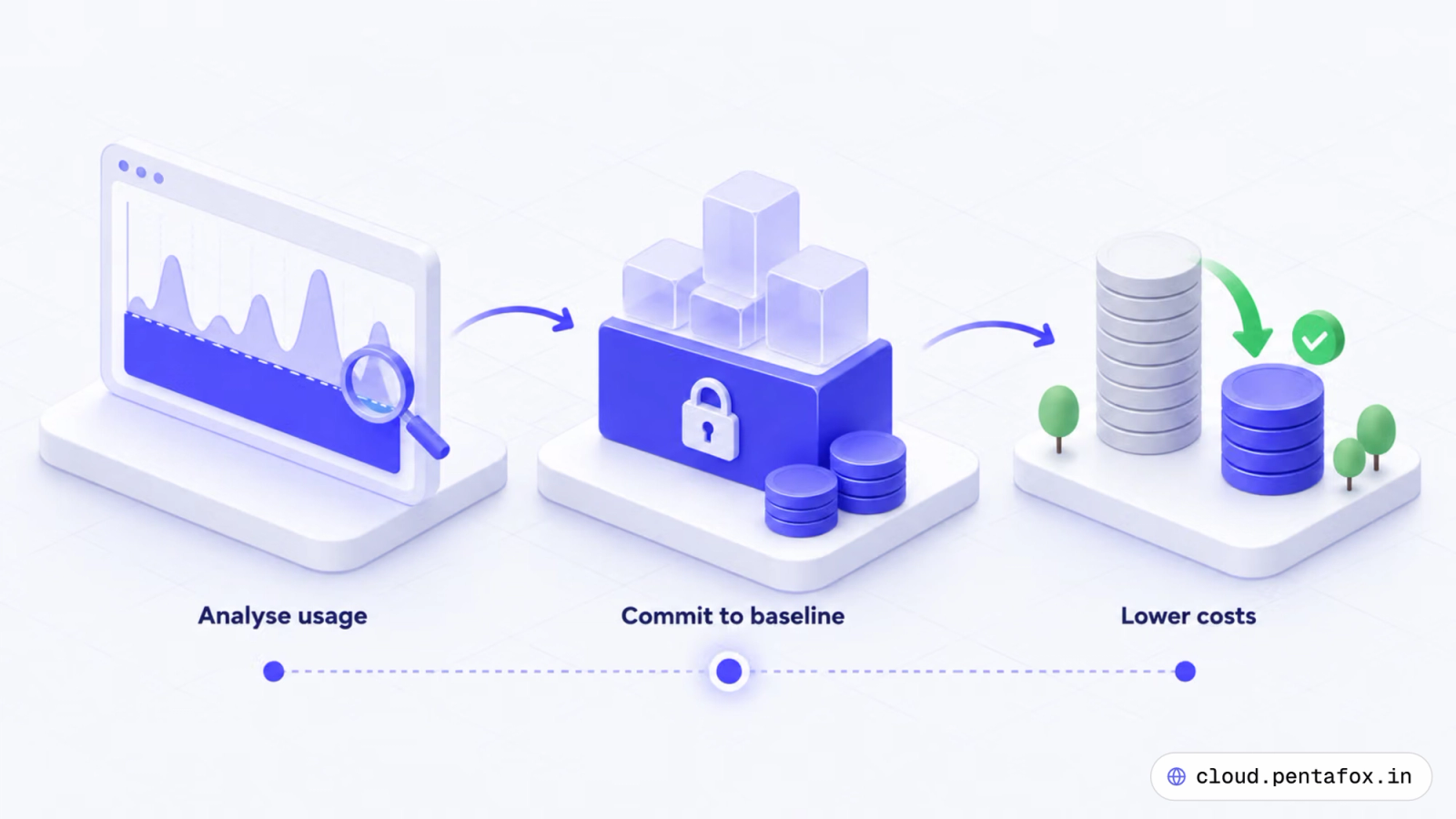
- Analyse 60 to 90 days of hourly usage, expressed as On-Demand-equivalent spend.
- Identify the sustained floor, typically overnight and weekend usage, rather than the average.
- Remove planned changes such as migrations and decommissions.
- Commit to 70 to 85% of the adjusted floor to absorb forecasting error.
- Purchase in quarterly tranches to create staggered renewal points.
Monitor two metrics monthly: utilisation, which should remain close to 100%, and coverage, which many organisations target at 70 to 85%. Declining utilisation is the clearest indicator of over-commitment.
Decision matrix
- Core production with a fixed architecture (high stability, low change): EC2 Instance Savings Plan or Standard Reserved Instance
- Production undergoing modernisation (high stability, high change): Compute Savings Plan
- Containers and serverless (medium stability, medium change): Compute Savings Plan
- Capacity-critical workloads (high stability, guaranteed capacity required): Zonal Reserved Instance, or On-Demand Capacity Reservation combined with a Savings Plan
- Stable managed databases (high stability, low change): RDS Reserved Instance or Database Savings Plan
- Peak and seasonal demand (low stability, burst capacity): On-Demand or Spot
- Development and experimentation (low stability, high change): On-Demand with scheduling
Quick checklist
- Usage floor calculated from 60 to 90 days of hourly data
- Planned migrations excluded before purchasing
- Commitments sized at 70 to 85% of the adjusted floor
- Deep commitments reserved for fixed architectures
- Peaks left On-Demand or moved to Spot
- Purchases staggered quarterly
- Utilisation and coverage reviewed monthly
Conclusion
Effective commitment management is not about maximising discount rates. It is about aligning financial commitments with how infrastructure actually behaves and how it is expected to change. Organisations that size from their usage floor, match commitment types to workload stability and review utilisation regularly achieve stronger, more durable savings.
CloudOps helps organisations analyse usage patterns, model commitment scenarios and build purchasing strategies that keep pace with their infrastructure. Contact us for an AWS cost optimisation review.