Key takeaways
- Amazon RDS is a managed database service. AWS handles provisioning, backups, patching and failover, while you manage schema, queries and access.
- A database on EC2 gives you full control over the operating system, engine version and configuration, but your team runs every operational task.
- RDS often costs more per instance hour than an equivalent EC2 instance, but it removes significant engineering effort.
- Choose EC2 only when you have a clear need RDS cannot meet, such as an unsupported engine, version or extension, or a requirement for operating system access.
- RDS Custom offers a middle ground for Oracle and SQL Server workloads that need some operating system access.
Body
The decision that shapes your next few years
You're moving a PostgreSQL or MySQL database to AWS. There are two main paths:
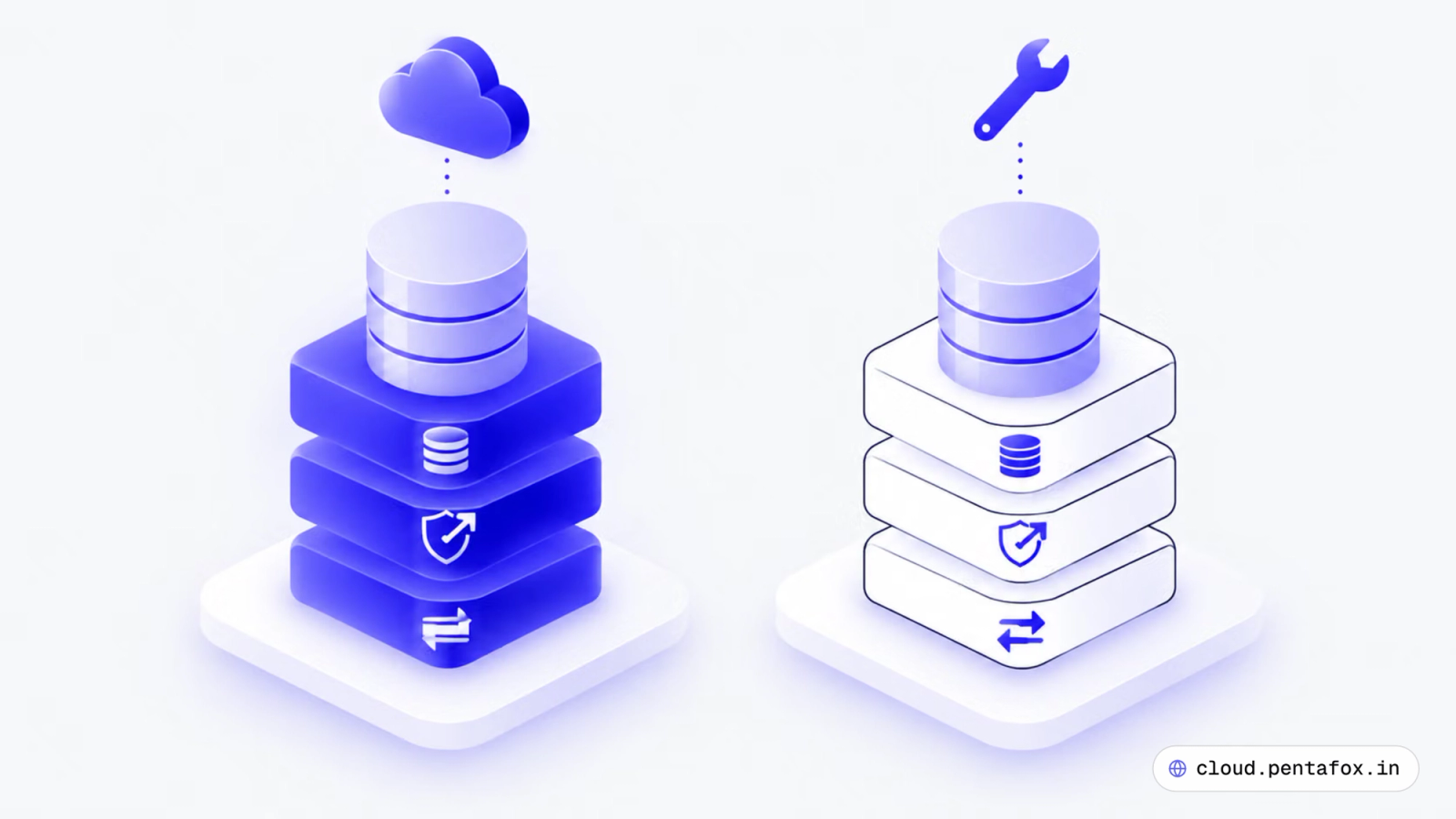
- Amazon RDS: AWS runs the database for you.
- A database on EC2: you install and run it yourself on a virtual server.
Both run the same database engine. The difference is who does the work of keeping it backed up, patched, available and fast. The wrong choice can mean months of unnecessary operational effort, or hitting a wall when you need control RDS doesn't give you.
Who manages what
Amazon RDS
- AWS manages: hardware, operating system, engine installation, patching, automated backups, failover and monitoring integration.
- You manage: schema design, queries, indexes, users and permissions, parameter settings, and choosing the right instance size.
Database on EC2
- AWS manages: the physical hardware and virtualisation.
- You manage: everything else, including operating system, installation, patching, backups, replication, failover, storage, monitoring and security hardening.
Seven factors compared
1. Backups
- RDS: automated daily backups with point-in-time recovery, and retention you can set up to 35 days. Manual snapshots are kept until you delete them.
- EC2: you design, schedule, monitor and test backups yourself, using EBS snapshots, native database tools or AWS Backup. Point-in-time recovery requires setting up log archiving yourself.
2. Patching and upgrades
- RDS: minor version patches can be applied automatically during a maintenance window you choose. Major upgrades are started with a few clicks, though they still need testing.
- EC2: you patch the operating system and the database engine yourself, plan the downtime, and test each change.
3. High availability
- RDS: Multi-AZ deployments keep a standby in another Availability Zone and fail over automatically if the primary fails.
- EC2: you build replication, health checks and failover yourself, and you test that they work.
4. Scaling
- RDS: change the instance size with a short interruption, add read replicas in a few steps, and turn on storage auto scaling.
- EC2: resize instances and expand storage yourself, and configure replicas manually.
5. Customisation and control
- RDS: there is no operating system or SSH access. Some superuser privileges, extensions and engine versions are not available.
- EC2: full control over any engine, any version, custom extensions, kernel and file system tuning, and third-party agents.
Middle ground: Amazon RDS Custom for Oracle and SQL Server provides managed automation while allowing access to the operating system and database for specialised needs.
6. Security
- RDS: encryption at rest with AWS KMS, encryption in transit, IAM database authentication, and private subnet deployment are all built in or easy to enable.
- EC2: the same results are possible, but you configure, harden and audit everything yourself, including the operating system.
7. Cost
This is where comparisons are often misleading.
- On the bill: an RDS instance usually costs more per hour than an EC2 instance of similar size. Both offer Reserved Instance pricing for steady workloads.
- Hidden costs on EC2: engineering time for patching, backups, monitoring, failover testing and on-call incidents, plus the cost of a mistake, such as an untested backup that fails during a real recovery.
- Hidden costs on RDS: RDS Extended Support charges apply if you keep running a major engine version after its standard support ends. Over-provisioned instances also add up.
Compare the total cost of ownership, not just the hourly instance price.
When to choose Amazon RDS
RDS is the right default for most businesses when:
- You use a supported engine, such as PostgreSQL, MySQL, MariaDB, Oracle, SQL Server or Db2.
- Your team is small, or database administration isn't its core skill.
- You need reliable backups, patching and high availability without building them yourself.
- You'd rather spend engineering time on the product than on database operations.
For higher performance and availability with MySQL or PostgreSQL compatibility, also consider Amazon Aurora.
When a database on EC2 makes sense
Choose EC2 when there is a specific, real requirement that RDS can't meet:
- An engine, version or extension that RDS doesn't support
- A need for operating system access, custom agents or kernel-level tuning, and RDS Custom isn't suitable
- Licensing or vendor requirements tied to self-managed installations
- An experienced database team that can run and test operations reliably
"It's cheaper per hour" alone is rarely a good enough reason.
A quick decision guide
- Does RDS support your engine, version and extensions? If not, look at RDS Custom or EC2.
- Do you need operating system access? If yes, use RDS Custom (for Oracle or SQL Server) or EC2.
- Do you have experienced DBAs with time to spare? If not, choose RDS.
- Is high availability critical? RDS Multi-AZ provides it with much less effort.
- Have you compared total cost, including people's time? Decide on that, not on the instance price.
Conclusion
Amazon RDS and a database on EC2 can run the same engine, but they ask very different things of your team. For most businesses, RDS is the safer and more efficient choice, because AWS handles the work that is easy to get wrong: backups, patching and failover. Choose EC2 deliberately, when you need control that RDS can't offer and have the skills to run it well.
Not sure which database setup fits your workload? The Pentafox Cloud team helps businesses design, migrate and optimise databases on AWS. Get in touch for a database architecture review.